WHITEPAPER
Not sure how to choose your SCORM-compatible authoring tool?

Brain
The first AI trained to teach

Author
The #1 AI-powered authoring tool on the market

Factory
Custom e-learning content factory

Skills
Comprehensive power skills course catalog

LMS
All-in-one LMS platform with AI

Engage
App for managing frontline teams
Product

What is Brain?
Everything you need to know about the first AI trained to teach.

Learning agent: CompanionNew
Supports learners and answers their questions right inside the course, without breaking the audit trail.

How does it work?
Adaptive, conversational, and contextual. That’s learning with Brain.
FEATURES

AINew
Unlock your full potential and speed up course creation with artificial intelligence.

Accessibility
Automatically meet accessibility guidelines—without sacrificing interactivity!

Interactivity
Boost engagement with interactive, ready-to-use activities that make learning fun.

Course Creation
Reduce the time it takes to create your e-learning courses with our authoring tool.

Distribution
We offer you different distribution options, so that nothing can stop you.

SCORM
Publish your course in SCORM format and share it on any LMS.
SERVICES

Instrucional Design
Surprise your students with multimedia and interactive content.

Custom Courses
We create e-learning courses for you—tailored to your needs and hassle-free!

Virtual Reality
Turn learning into an immersive experience.

Custom Avatars
Give your courses and videos a unique touch with personalized avatars.

Audiovisual FactoryNew
Turn training into something dynamic and visual with engaging videos.
CATALOG

Course catalog
Over 600 skills and competency courses to help you adapt to your team's needs.
Microsoft Copilot AcademyNew
Your professionals will learn how to apply Copilot AI to key processes within your organization.

Artificial Intelligence Academy
Train your teams in the practical use of AI to boost productivity and innovation in your company.

Cybersecurity Academy
Capacita a tu empresa con el catálogo más completo en seguridad digital corporativa.
FEATURES

Learning platform
Manage all your training from one place

Analitycs
Measure the impact of your training

Learning Experience
Offer a unique learning experience to your team
Content Library
Choose from hundreds of expert-created courses
Authoring Tool
Create your own content—faster than ever

Use cases
Choose the solution that best fits your needs

Industries
Solutions for all types of industries
USE CASES

Onboarding
Facilitate the onboarding process, productivity and engagement of your new employees.

Upskilling
Boost your team's skills and prepare them for the challenges of the future with upskilling.

Microlearning
Discover all the advantages of microlearning and boost your training results.

Gamification
Enjoy addictive training that will get your professionals hooked.

Internal Communication
Improve communication in your company and enjoy an aligned and committed team.

Mobile learning
Agile, flexible, and interactive learning—built for today’s digital-first workforce.
INDUSTRIES

Banking and financial services
Training in compliance, cybersecurity, customer service, and key skills development.

Pharmaceuticals and healthcare
Digital onboarding, regulatory updates, and ongoing training for healthcare staff.

Retail and consumer
Agile and scalable training for in-store, operational, and customer service teams.

Industry and manufacturing
Training in processes, safety, and corporate culture for distributed teams.

Education and training
Digital solutions for training centers, internal academies, and corporate universities.

Technology and telecommunications
Development of technical talent, digital skills, and upskilling and reskilling programs.
CLIENTS

MAPFRE
How MAPFRE turn e-learning into sales with isEazy

Pepco
A personalised learning experience for a growing team.

BBVA
Digitisation and creation of high quality e-learning content.

Shiseido
We increase the engagement of the training with a social and gamified app.

Telefónica
Large-scale reskilling for the company's digital transformation.

Vodafone
A personalised learning experience for a growing team.
More than 1,000 companies already rely on isEazy.





MEET ISEAZY

Events
Discover our upcoming events and connect with the future of e-learning.

News
Find out the latest news about isEazy: press releases, partnerships, updates...

Contact
Leave us your personal details and we will contact you as soon as possible.
About isEazyNew
Find out more about our company.

Careers
We are looking for the best talent, join our team!

Partners
Become our partner and grow your business.
INTERESTING RESOURCES

Blog
The best content on e-learning: trends, tools and key strategies.

Whitepapers
Gain valuable insights and stay ahead of industry trends.

Product releases
The latest news and releases of our e-learning products and solutions.

Glossary
Definitions of the most commonly used terms and key industry concepts.

Guides
Discover the best step-by-step tips and tricks to optimize your L&D strategy.

Webinars
Video sessions on our products, trends and more

Comparatives
Compare e-learning solutions available on the market and choose the most suitable one.


WEBINAR
Master AI in isEazy Author in under an hour.




May 1, 2026

CONTENT CREATED BY:

Table of contents
Creating SCORM means packaging training content in a standard format that any LMS can read, execute and record automatically. A SCORM package is a .zip file containing the course (HTML, images, videos), a manifest file (imsmanifest.xml) describing its structure, and a JavaScript layer that sends the LMS data such as progress, time spent and score obtained.
SCORM (Sharable Content Object Reference Model) is an e-learning standard driven by ADL (Advanced Distributed Learning) that allows content to be imported into different LMS platforms and for that LMS to record key learning data: status (completed/not completed), score, time, progress, etc.
In day-to-day practice, SCORM remains the most widely used format in corporate training because it solves one of the biggest problems in corporate e-learning: compatibility across platforms and reliable learning tracking.

A SCORM is not “a course”. It is a .zip with a specific structure. Inside you will typically find HTML, CSS, JavaScript, multimedia resources and an essential file: imsmanifest.xml. That manifest tells the LMS what is inside the package, how it is organised and which resource to launch.
If the manifest is broken, the LMS may:
The real problem is not understanding what SCORM is, but getting the package to work correctly in the LMS.
Creating SCORM correctly is not just about generating a .zip file. That file must have a specific structure and meet certain technical requirements so that the LMS can interpret it and record learner activity.
A SCORM package is essentially a set of organised, compressed files containing everything needed to run an e-learning course and communicate with the platform. It is not just visual content: it also includes technical instructions that enable learning tracking.
When you export a course as SCORM, what you generate typically includes:
If any of these components is not correctly configured — especially the manifest or the API communication — the course may open but fail to record activity correctly. And that is where problems typically arise.
Inside a SCORM package there are two types of resources: ASSET and SCO (Sharable Content Object). Understanding the difference is not just a technical matter: it directly affects how the LMS records learner activity.
An ASSET is a static resource.
An SCO is a trackable unit that communicates with the LMS.
The decision depends on what you need to measure.
| If you need to… | Recommended tool |
|---|---|
| Show information without tracking progress | Use ASSET |
| Include a PDF, video, or downloadable resource | Use ASSET |
| Register that a student has completed a module | Use SCO |
| Measure test scores or results | Use SCO |
| Control navigation or progress by sections | Use SCO |
| Create an independent unit within the course | Use SCO |
If the content only needs to be viewed, it is an ASSET. If the content must send data to the LMS (completion, score, time), it must be an SCO.
For example, in a course with four assessed modules, it is common for each module to be an independent SCO. Conversely, an image or a supplementary document within that module would be an ASSET.
Making this decision correctly when structuring your SCORM prevents later tracking and reporting problems in the LMS.
Imagine you are designing a course on Power Skills. You would start by defining the units of your course, which might be:
In SCORM terminology, this content translates into 4 SCOs, one per course unit:
And within each unit, there would in turn be further sub-units of SCOs related to the specific elements of each module.
When a SCORM fails to correctly record progress or does not mark as completed, the question is always the same: is the problem in the content or in the LMS configuration?
Before rebuilding the course or blindly modifying settings, the most effective approach is to use a validated minimal SCORM package as a control test. This type of template includes only the essentials for the LMS to communicate with the content: a basic functional structure, a correctly configured imsmanifest.xml and a simple completion event that sends data to the system.
What is it really for? To isolate the source of the error.
If that minimal SCORM works in your LMS and correctly records the completion status, the problem lies in your original package (structure, completion criteria or misconfigured tracking).
If it does not work either, the issue most likely lies in the LMS configuration.
It is not a substitute for an authoring tool or a production solution. It is a diagnostic tool that lets you identify the root of the problem without spending hours testing blindly.
If you are going to create one-off, very simple content, you can use quick conversion methods (for example, from PowerPoint) as long as the objective is linear and does not require much interaction. This is a valid solution when you need speed and tracking complexity is low.
If you are going to create training on a recurring basis, work with multiple courses or need visual consistency, collaboration and fewer technical issues, the usual approach is to opt for an authoring tool that exports SCORM in a stable, multi-LMS-compatible way.
Creating SCORM manually is also viable, but it means building the manifest, integrating the SCORM API, correctly defining tracking events and testing each package before publishing. In practice, it only makes sense when you have a technical team and a very specific case that cannot be solved with standard tools.
Practical conclusion: if your priority is total control and you have a technical background, manual development can make sense. If your priority is efficiency, stability and fewer production errors, an authoring tool is usually the safest and most scalable option.
The typical mistake is designing “a nice presentation” and then exporting it to SCORM expecting everything to be recorded automatically. For SCORM to track correctly you need to define what “completed” means and where that condition is triggered: at the end, after passing a test, after visiting X screens, etc.
This is where authoring tools tend to save a great deal of time, because they already come with navigation logic, assessments and configurable completion criteria without touching code.

This is the step most people skip. And it is the one that prevents the most problems. Before uploading to the “real” LMS, validate the package in a neutral environment. For this, SCORM Cloud is the de facto standard for testing packages independently.
If you are not sure where to start when choosing your authoring tool, take a look at our Whitepaper: Step by step to choose your perfect authoring tool
Competitors cover the creation process, but no one explains why courses fail in production. These are the five errors that appear most often in real corporate projects:
The imsmanifest.xml is the most critical piece. If the path to the launch file is incorrect or the metadata is poorly defined, the LMS cannot execute the course. Solution: validate the manifest in SCORM Cloud before publishing.
If you do not configure when a learner has “passed” the course, the LMS will not know when to mark it as completed. Solution: always define whether completion depends on score, time or full viewing, and configure it explicitly in the export settings.
Publishing in SCORM 2004 for an LMS that only supports SCORM 1.2 generates silent communication errors: the course runs but records no data. Solution: check the destination LMS documentation before choosing the export version.
Linux systems are case-sensitive. A file named Slide01.html referenced as slide01.html in the manifest will cause a silent 404 error. Solution: always use lowercase and avoid accents, spaces and special characters in file names.
Uploading an updated version of the SCORM with the same name can delete the progress history of learners who already completed it. Solution: create a new version of the course in the LMS and keep the previous one active for learners still in progress.
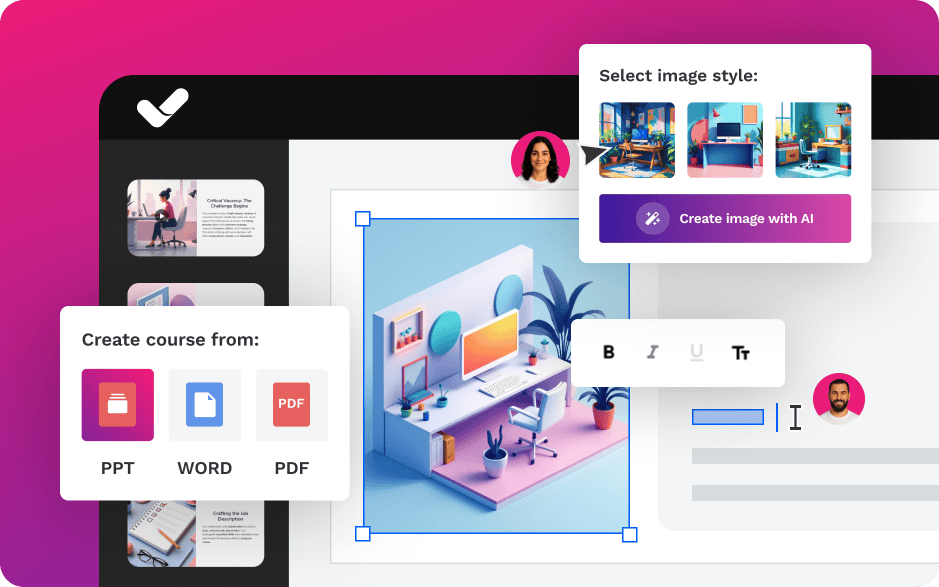
Choosing the right software is key to saving time and avoiding compatibility problems. However, there are many types of tools for creating SCORM on the market. Here are two broad groups to explore:
Free options can work when you need to run quick tests or validate a workflow, when you are going to create simple, one-off content, or when you do not need advanced design or a high level of interactivity. Even so, it is worth noting that they typically come with common limitations such as reduced customisation, partial or limited export options, a less optimised user experience and lower scalability as the volume of courses or content complexity grows.
If your company is going to create training on a recurring basis, a paid tool will typically pay for itself through time savings in design and production, fewer incidents during publishing and maintenance, visual consistency across courses and teams, and better results thanks to more polished experiences (higher engagement and completion rates). They also tend to offer support and continuous updates, which is key when you need long-term stability and LMS compatibility.

Features
Benefits
Pricing
Accessibility
Awards
Features
Benefits
Pricing
Accessibility
Awards

Key Features
Benefits
Pricing
Key Features
Benefits
Pricing

Features
Benefits
Pricing
Features
Benefits
Pricing

Key Features
Benefits
Pricing
Key Features
Benefits
Pricing
Before uploading your package to the definitive LMS, it is recommended to validate it in a neutral environment such as SCORM Cloud. This tool lets you check whether the file communicates correctly with the SCORM API and whether it is sending the data you actually need to measure.
When running the test, it is not enough for the course to “open”. What matters is verifying three key things:
The basic validation flow would be:
If in SCORM Cloud the course correctly records completion and score, but in your LMS it does not, the problem is likely in the LMS configuration (completion criteria, tracking mode, etc.).
If it also fails to record correctly in SCORM Cloud, the problem lies in your SCORM package (manifest, tracking events or export configuration).
This prior validation can save you hours of trial and error and prevent incidents when you publish to production.
Before exporting your course, you need to make a key decision: which version of SCORM to use. SCORM 1.2 and SCORM 2004 serve the same general purpose (interoperability + tracking), but they have important differences.
| Criteria | SCORM 1.2 | SCORM 2004 |
|---|---|---|
| LMS compatibility | ✅ Very high (most universal) | ✅ High (but not always perfect) |
| Stability | ✅ Very stable | ✅ Stable |
| Standard tracking | ✅ Progress, completed, score | ✅ Similar, with more control |
| Advanced sequencing | ❌ No | ✅ Yes (more possibilities) |
| Navigation / rules between modules | Basic | More advanced |
| General recommendation | ✅ "Works every time" | ✅ If you need advanced rules |
Practical recommendation 2026: in most corporate environments, SCORM 1.2 remains the safest option, especially for compliance.
After hearing so many terms, it can seem as though creating a SCORM is a far more complex task than it really is. However, it will depend greatly on the method and tool you use when starting to create your e-learning content. Here are 4 ways to create SCORM free without needing to know how to code:
Converting PowerPoint to SCORM is one of the most common ways to create a SCORM package without coding, especially when you already have developed training content.
To do it correctly you need an authoring tool that lets you import PPT files and export them as SCORM 1.2 or SCORM 2004.
The usual process is:
The second method for creating SCORM is to do it with code. It is a more complex process than the previous ones, and involves developing the training content using HTML, CSS and JavaScript, creating the manifest file that will define the course structure and included resources, integrating the SCORM API into your content so it can communicate with the LMS, and writing the JavaScript code needed to initialise, track progress and end the learning session.
You will then need to package the content, organising all course files (HTML, CSS, JavaScript, imsmanifest.xml) into an appropriate folder structure, compressing the files into a ZIP package and uploading them to your LMS.
Additional resources for creating SCORM without authoring tools
There are resources that can make it easier to create SCORM without authoring tools, such as SCORM converters, SCORM packagers and SCORM players. Converters transform documents such as PDFs and PPTs into interactive SCORM modules. Packagers are used by developers to make HTML content SCORM-compatible by adding SCORM API commands. SCORM players or testers are useful for reviewing and ensuring that a SCORM file is error-free before distributing it in your LMS. These resources are useful for those who prefer not to invest in new technologies.
With isEazy Author you can make AI your main ally when creating SCORM content. With the new AI Autopilot feature, creating SCORM is very simple and automatic.
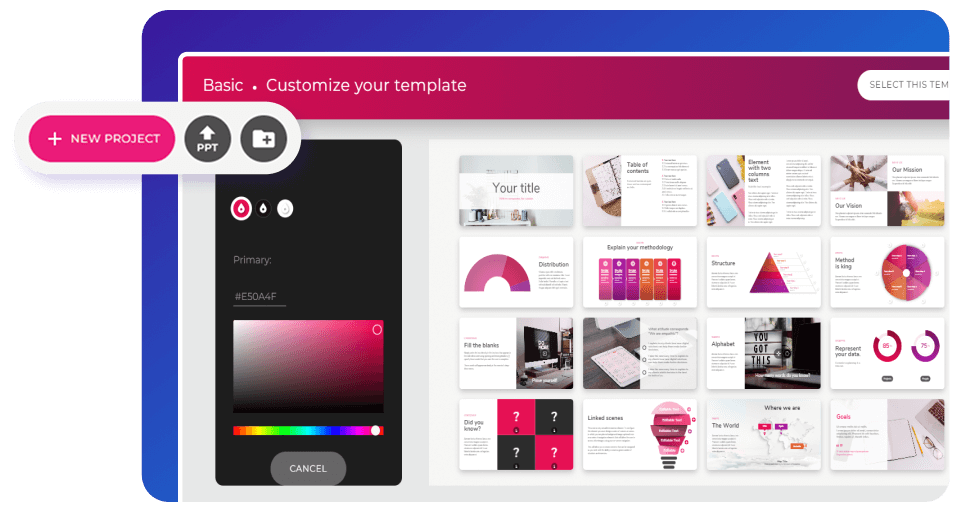
In addition, you can choose your style, colours and template, and the AI will apply your corporate identity throughout the project, maintaining full visual consistency at all times. See it in action!
| What to check | Why it matters | How to verify |
|---|---|---|
| imsmanifest.xml correct | The LMS needs to interpret the package | Open and validate structure |
| Completion defined | Otherwise, the LMS will not mark as completed | Review criteria in the tool |
| Tracking works | Without commit there is no data | Test in SCORM Cloud |
| Weight and resources optimised | Prevents slow loads and failures | Check .zip size |
| Basic accessibility | Reduces legal risk and improves UX | Keyboard, contrast, subtitles |
More and more teams are facing the same reality: it is no longer “nice to have”. Accessibility is a growing requirement by regulation and quality standards. The most common framework for validating digital content is WCAG (W3C).
In SCORM this translates into very concrete solutions: keyboard navigation, subtitles, contrast, visible focus, coherent structure, alternative texts… and, above all, avoiding interactions that only work with a mouse or have no alternatives.
Creating effective and engaging SCORM content is essential to ensure a successful and enriching online learning experience. To help you achieve this, here are some of the best practices for SCORM content creation, focusing on the main characteristics of this standard:
Interoperability allows SCORM content to be used across different learning platforms without compatibility issues. To ensure interoperability:
The reusability of SCORM content allows learning modules to be reused in different contexts and courses. To maximise this feature:
Any SCORM content must maintain its relevance and functionality over time, even in the face of technological change. To ensure durability:
Accessibility in e-learning is fundamental and is governed by regulations such as the Web Accessibility Act in Spain, aligned with European Directive 2016/2102; Section 508 of the Rehabilitation Act in the United States, which requires companies to provide equal access to information for people with disabilities; and the criteria of the Web Content Accessibility Guidelines (WCAG).
These regulations urge educational institutions and organisations to ensure their content is accessible to people with disabilities. Implementation of these standards is growing in Spain and globally, reflecting the increasing importance of offering inclusive and equitable education. Complying with these standards is not only a legal obligation but also improves the learning experience, ensuring all users can access content, participate fully and benefit from educational opportunities.
Finally, scalability allows you to create SCORM that adapts to different audience sizes and course expansion. To ensure scalability:
By following these best practices, you will be able to create SCORM content that not only meets technical standards but also provides a rich and accessible learning experience for all users. Correct implementation of interoperability, reusability, durability, accessibility and scalability will ensure your e-learning courses are effective and sustainable in the long term.

An accessible SCORM must meet at least level AA of WCAG 2.1: full keyboard navigation, compatibility with screen readers (ARIA labels, correct semantic roles), adequate colour contrast, subtitles on all videos and no content that flashes more than 3 times per second.
Creating this version manually requires very high technical expertise. isEazy Author generates it automatically on export: the same click that creates the standard SCORM also produces an accessible version at level AA and up to 80% of level AAA of the WCAG, at no additional production cost. In corporate environments subject to equality regulations (the European Accessibility Act in force from 2025), accessible training is no longer optional.
The use of intuitive authoring tools, such as isEazy Author, can significantly simplify the process of creating e-learning content. These tools offer ready-to-use resources that allow users, regardless of their technical experience, to create engaging and effective courses in very little time.
Our tool also features customisation capabilities that let you adapt courses to your corporate identity, as well as productivity features such as automated translation generation, voiceovers, subtitles and final assessments — all in just a couple of clicks thanks to AI!
Moreover, with the new AI Autopilot feature, HR teams, instructional designers or anyone who wants to create a SCORM course will be able to transform ideas or documents into interactive courses with a pedagogical structure, applied branding and full accessibility in minutes, without technical knowledge. What are you waiting for to request a demo? Discover the easiest authoring tool on the market.
A SCORM file is a compressed package (.zip) that contains all the elements of an e-learning course — HTML, CSS, JavaScript, multimedia resources and the imsmanifest.xml manifest file — structured according to the SCORM standard so that any compatible LMS can import it, execute it and automatically record learner activity data such as completion status, score and time spent.
SCORM stands for Sharable Content Object Reference Model. It is a set of technical standards developed by ADL (Advanced Distributed Learning) that defines how e-learning content should be packaged and how it should communicate with a learning management system (LMS) to enable tracking of learner activity.
SCORM 1.2 is the most widely used version due to its near-universal LMS compatibility and stability. SCORM 2004 adds advanced sequencing and navigation capabilities, but its support is less consistent across platforms. In most corporate environments, SCORM 1.2 remains the safest and most reliable choice, especially for compliance training.
Yes, it is possible to create SCORM manually using HTML, CSS and JavaScript, integrating the SCORM API and building the imsmanifest.xml by hand. However, this process requires significant technical knowledge and is time-consuming. For most teams, using an authoring tool that exports SCORM directly is a more efficient and less error-prone approach.
The standard way to test a SCORM package is to upload it to SCORM Cloud, a neutral testing environment independent of any LMS. There you can verify that the manifest is correct, that completion status and score are being recorded, and review the debug log if any data is missing. If the package works correctly in SCORM Cloud but not in your LMS, the issue is in the LMS configuration.
The imsmanifest.xml is the map of a SCORM package. It tells the LMS what resources are included, how the course is structured and which file to launch first. If this file is missing, incorrectly formatted or contains wrong paths, the LMS will not be able to open or track the course correctly. It is the most critical component of any SCORM package.
The most common reasons are: completion criteria not defined in the authoring tool before export, a SCORM version mismatch between the package and the LMS, an error in the imsmanifest.xml, or a tracking issue in the LMS configuration itself. The recommended approach is to first test the package in SCORM Cloud — if it records completion there, the problem is in the LMS; if it does not, the problem is in the package.
An ASSET is a static resource within the SCORM package — such as an image, PDF or video — that is displayed to the learner but does not communicate with the LMS or send any tracking data. An SCO (Sharable Content Object) is a trackable unit that actively communicates with the LMS via the SCORM API, sending data such as completion status, score and time. Every module you want to track must be defined as an SCO.

Start creating your courses today with the #1 software for SCORM creation!
Design, create, and distribute interactive e-learning content in SCORM format quickly and efficiently with isEazy Author


With visually appealing content and ready-to-use resources. Select, customize, and done!
Try it freeRequest a demo
Start creating your courses today with the #1 software for SCORM creation!
Design, create, and distribute interactive e-learning content in SCORM format quickly and efficiently with isEazy Author